
Instruction
GS1 Data – Add a product from a hierarchy template
The Create product from hierarchy model function allows you to easily create a consumer product and its packaging hierarchy based on a template.
To start adding a product from a hierarchy template, click Add product or packagebutton in the list view. Select Create product from hierarchy model.
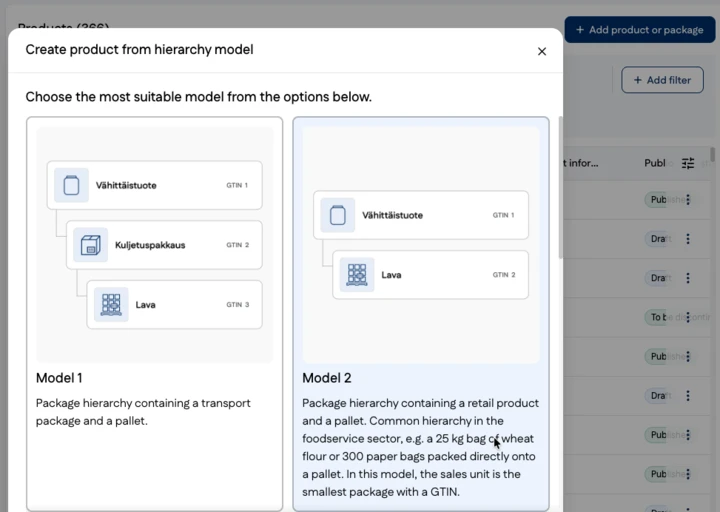
Next, select a hierarchy template, for example a three-level hierarchy consisting of a consumer product, a transport package and a pallet.
Select the appropriate GPC class and then specify how you want to create the GTINs for the new packaging hierarchy.
- Add GTIN for all
- select this option if you want to enter an existing GTIN for all packaging items
- Leave all GTINs empty for now
- select this option if you want to enter the GTINs later
- Set individually for each
- select this option if you want to specify the GTIN separately for each level of the packaging hierarchy:
- create a new GTIN using your own GS1 Company Prefix
- enter an existing GTIN
- leave the GTIN blank for now
- select this option if you want to specify the GTIN separately for each level of the packaging hierarchy:
Finally, click Create hierarchy and continue by completing the product information for the product and packaging items.