
Instruction
GS1 Data – Copy a packaging hierarchy from another product
This function allows you to copy a packaging hierarchy from another existing base unit.
The view of hierarchies available to copy shows only packaging hierarchies that contain a single product. Assortments cannot be copied using this function.
Open the consumer product’s information and go to the Package hierarchy group. Click the three-dot button and Add package hierarchy. Select Copy package hierarchy from another product.
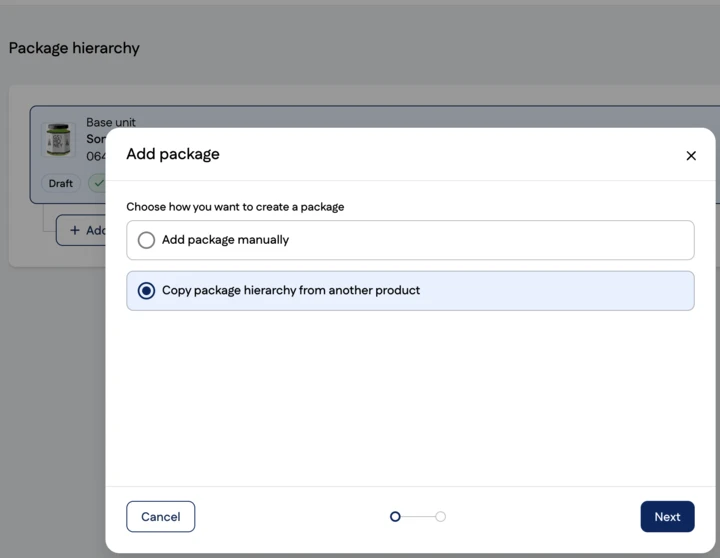
Next, search for the base unit whose packaging hierarchy you want to copy. Select a packaging hierarchy branch:
- All packaging hierarchy branches are selected by default.
- You can deselect any packaging hierarchy branches that you do not want to copy.
- You can also select partial branches by deselecting the higher levels.
You can also select to copy only the base unit.
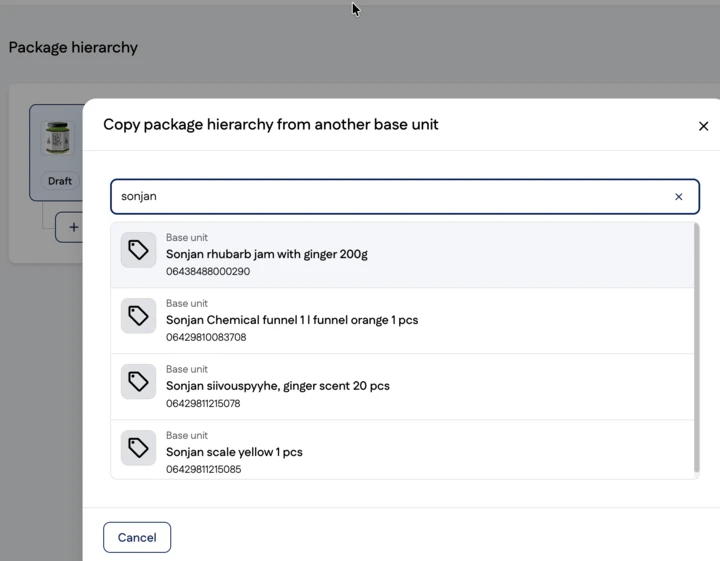
Next, specify how you want to create the GTINs for the new packaging hierarchy.
Check and correct the amount of included products and click the Copy hieracy button.