
Instruction
GS1 Data – Documents
You can save product-specific pdf files in GS1 Data. These documents, which provide additional information about the products, are intended for the end user to use easily and quickly on the website. They are not intended to be printed materials.
In the documents, it is good to take into account the accessibility requirements of the Digital Services Act, because they may also be used in public administration services.
Adding a document
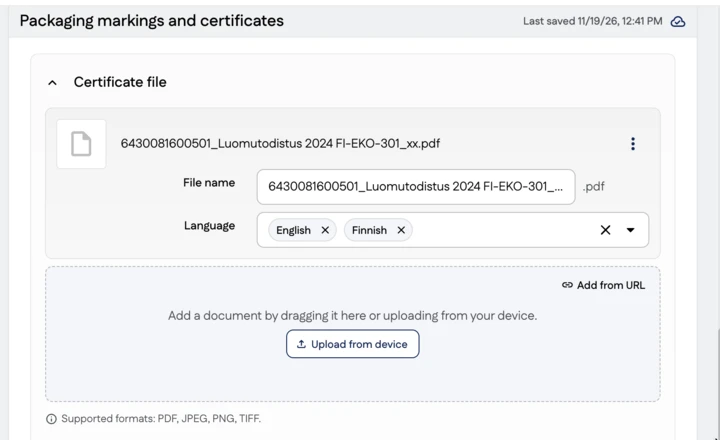
Documents are managed within the user interface in connection with the information to which they relate. For example, a certificate is added alongside the certificate details. You can add multiple documents at once.
Material requirements for documents
- File format: PDF
- Descriptive file name (for example: 6430081600501_Ecocertificate 2024 FI-EKO-301_xx.pdf)
- Texts as text and fonts included as a subset. No text vectorization.
- The recommended resolution of images is 150 ppi maximum and JPEG medium or high compression
- Page cropped to final size, no crop marks visible
Document types
You can add the following types of documents to GS1 Data:
| Code | Name | Description |
|---|---|---|
| SAFETY_DATA_SHEET | Safety data sheet | Safety data sheet for the product |
| ORGANIC_CERTIFICATE | Organic certificate | Organic certificate for the product |
| CERTIFICATION | Certification | Other certificates than the organic certificate, e.g. MSC certificate, FSC certificate |
| IFU/eIFU | Instructions for use | Product user manual |