
GS1 Data – Mobile Ready Hero Image - MRHI
An MRHI (Mobile Ready Hero Image) is a digital shelf image. MRHIs are suitable for situations where an image is displayed at a small size, for example in online shops’ list and grid views and on small screens.
MRHI product images emphasise the following four key pieces of information that consumers need in order to select the right product:
- brand name
- product name
- variant
- quantity, net content or pack size
An MRHI must be clear. This means that the information shown in the image must be legible at a very small size.
An MRHI does not replace the primary product image; it supplements it and provides more detail.
MRHIs are particularly useful when there are many similar products, for example when the same product is available in multiple pack sizes or variants. These products are typically bought frequently, are inexpensive and already familiar, and consumers do not want to spend much time choosing them. When selecting such products, consumers focus mainly on the image and may not read the accompanying product text at all.
Follow these guidelines when creating MRHIs:
- Although the image of the product packaging is modified, the impression of the product must remain the same. Modifications must follow the colour, style and design of the actual packaging.
- Emphasise the four most important pieces of product information (brand name, product name, variant, quantity / net content / pack size) by enlarging the text or adding the information to the image.
- Add the information to the packaging or over the packaging. Text must not extend beyond the product’s boundaries.
- The element indicating quantity should preferably be placed in the bottom right-hand corner of the image. The quantity may also be placed outside the packaging.
- Remove small and unnecessary text.
- Do not add marketing text or additional promotional elements to the image.
- Do not add or emphasise packaging symbols or other information unless they are also prominent on the actual product packaging.
- The background must be transparent or white.
- It is recommended that the MRHI be square and that elements be positioned to leave as little empty background as possible.
- The product’s shape or aspect ratio must not be substantially distorted. For example, a long, rectangular product must not be made square by stretching the image into a square.
- Part of the product packaging may be cropped out of an MRHI, provided that all essential information remains visible in the image.
- For some products, it is easier to add information to the MRHI if the image is zoomed in and only part of the product is shown.
- The product must be shown in its packaging in the MRHI.
- If the product being sold is a multipack, an individual product may be shown outside the packaging in the MRHI.


Adding an MRHI
Product images are maintained centrally in the Product images group. There are separate sections for the different image types. Add images to the MRHI image section by dragging them in or uploading them from your device.
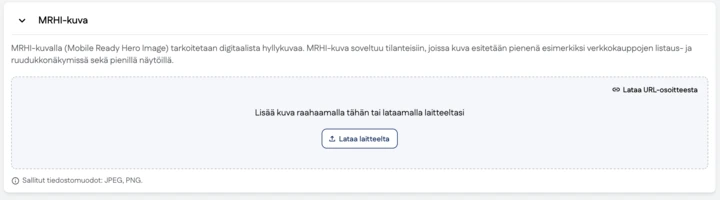
The MRHI file will automatically be named e.g. 06400001069015_H1N1.png
MRHI file requirements
| Colour space | RGB |
| File formats | JPEG / PNG |
| Size | Longer side at least 600 pixels A square image is recommended |
| Cropping | The amount of empty space must be minimised so that the digital image of the product is as large as possible |
Test visual clarity of an MRHI
The information must be recognisable at a very small size. One way to check this is to blur the image using image-editing software. Apply a Gaussian blur filter with a pixel value of approximately 1.1% of the length of the image’s longer side (e.g. 33 px when the image is 3000 px wide).
After blurring, it must still be possible to distinguish the product’s identifying information listed above.
